
Sent. Received. Answered.
Turn customer enquiries into the next step.
Capture, qualify, organize and follow up from one workspace, so your team knows what arrived and who should answer.
Built first for agencies and service businesses that handle enquiries for their clients or themselves.
No card needed. 50 submissions a month on Free.
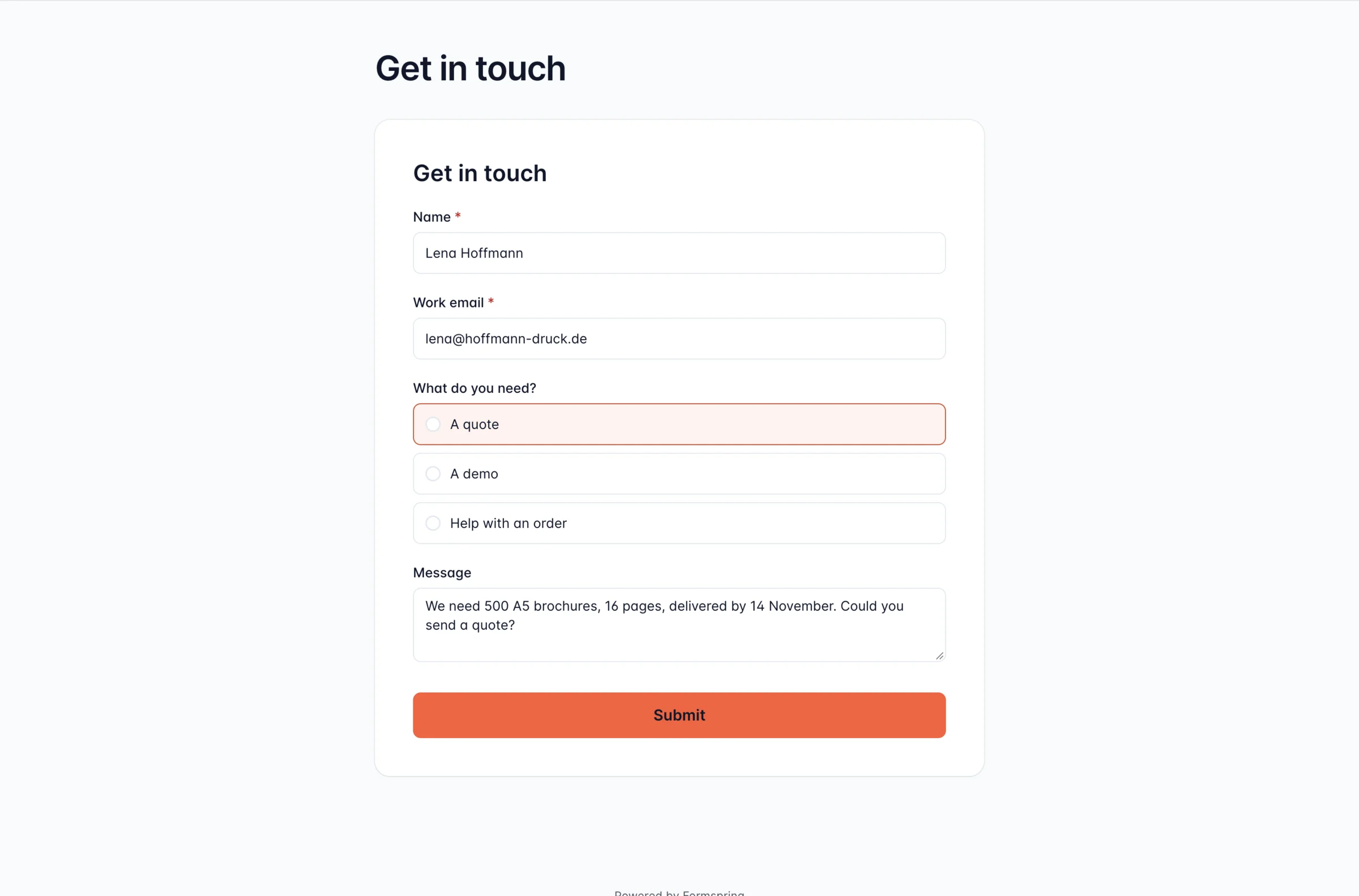
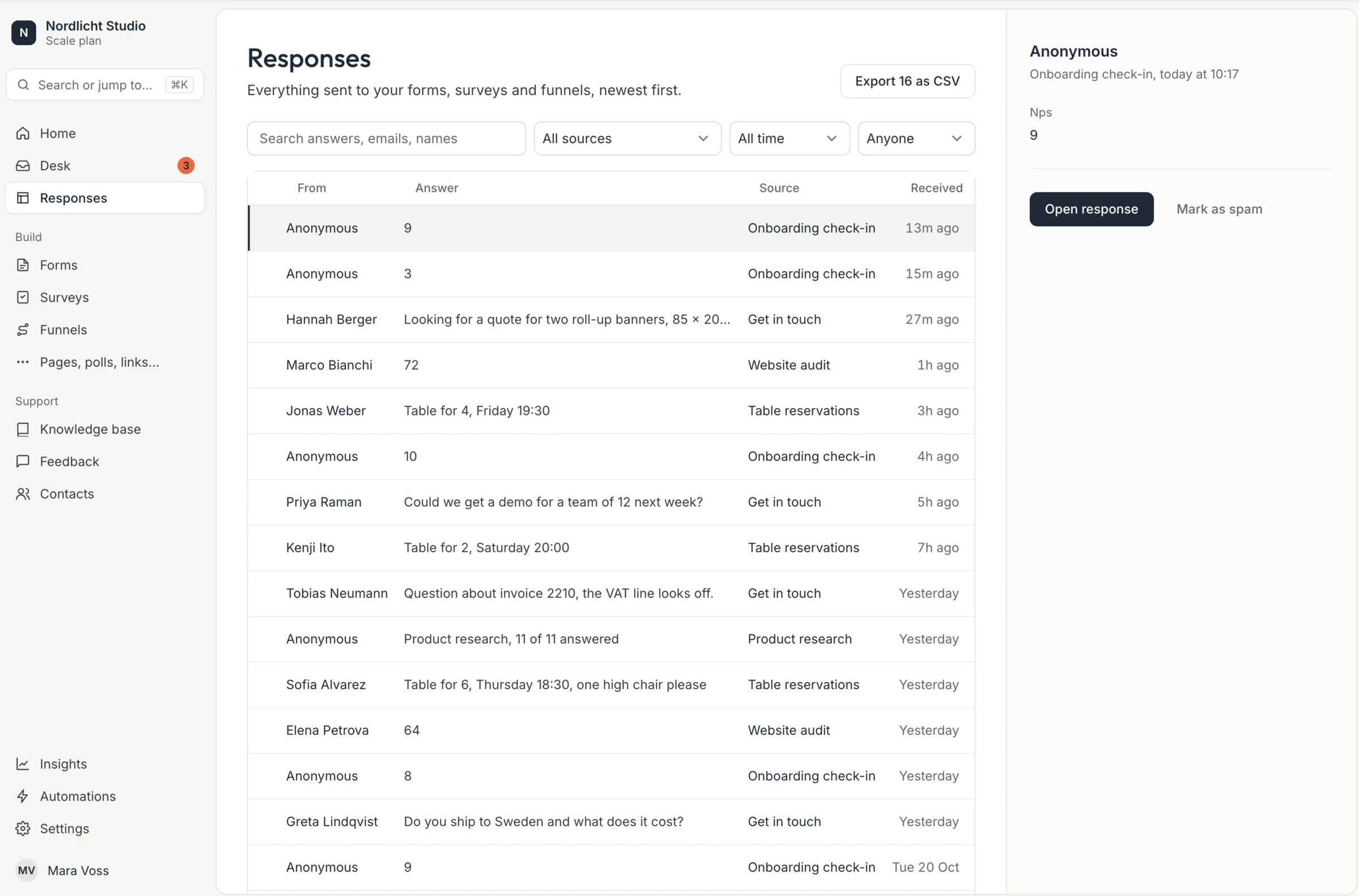
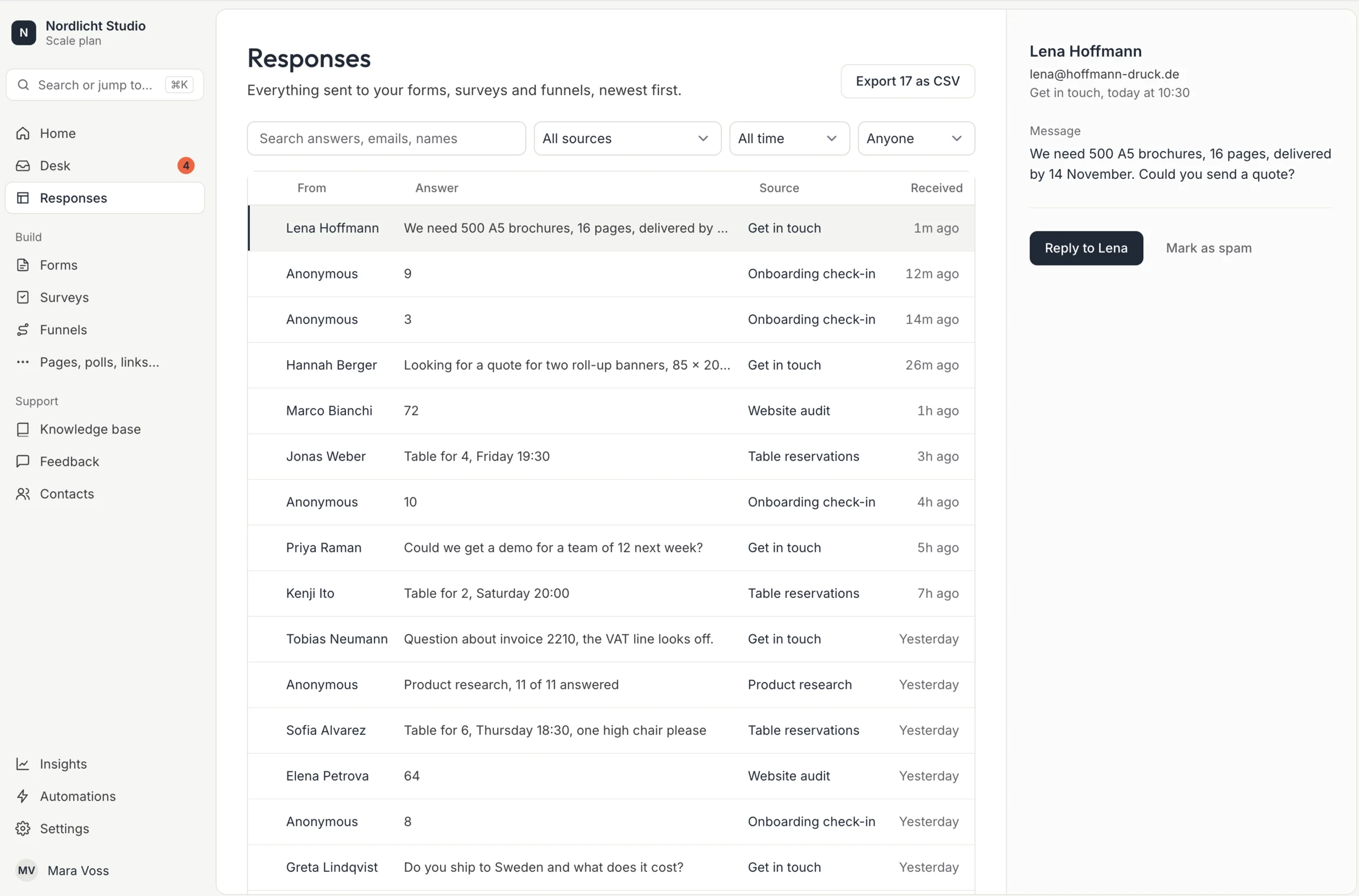
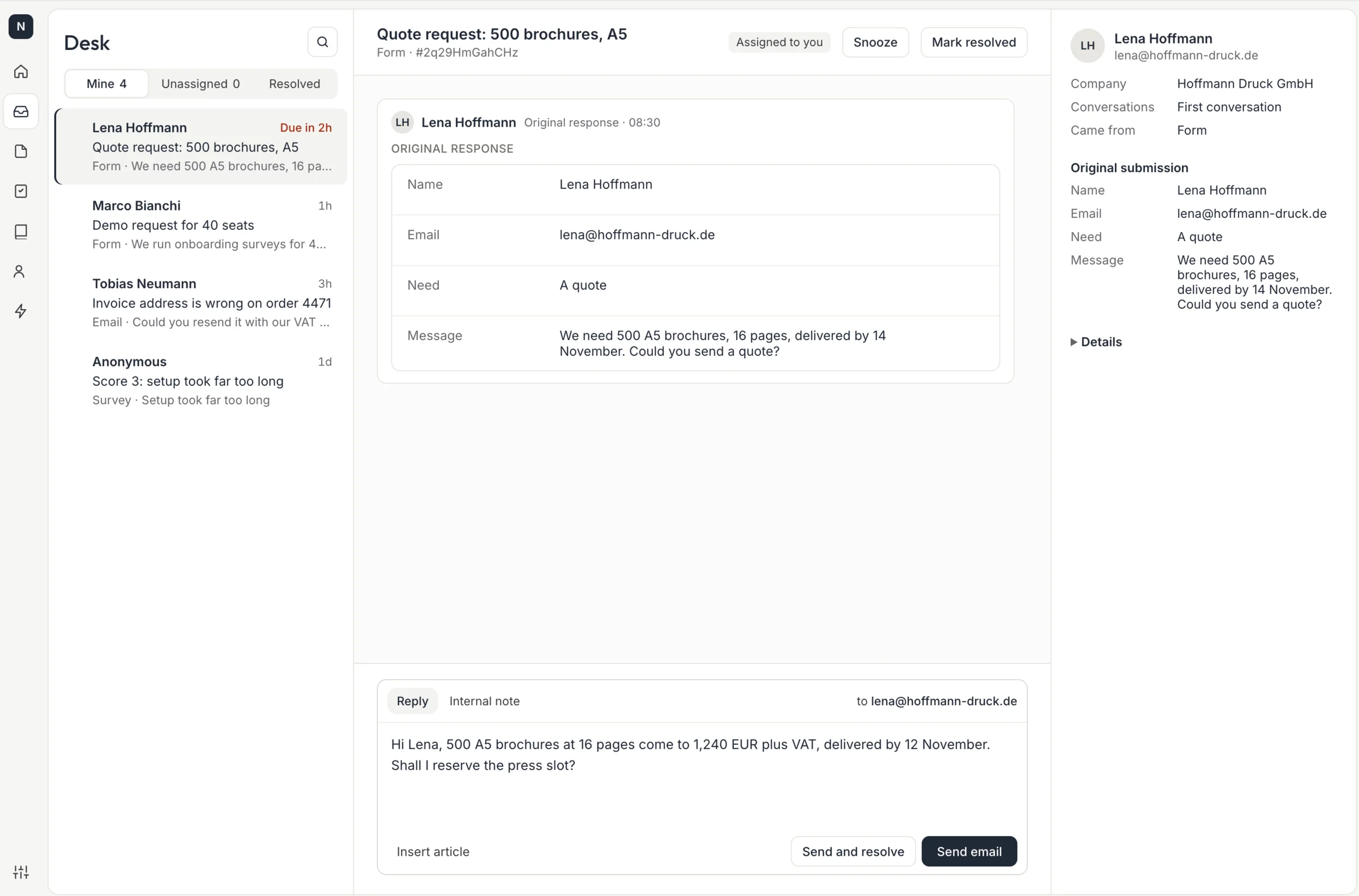
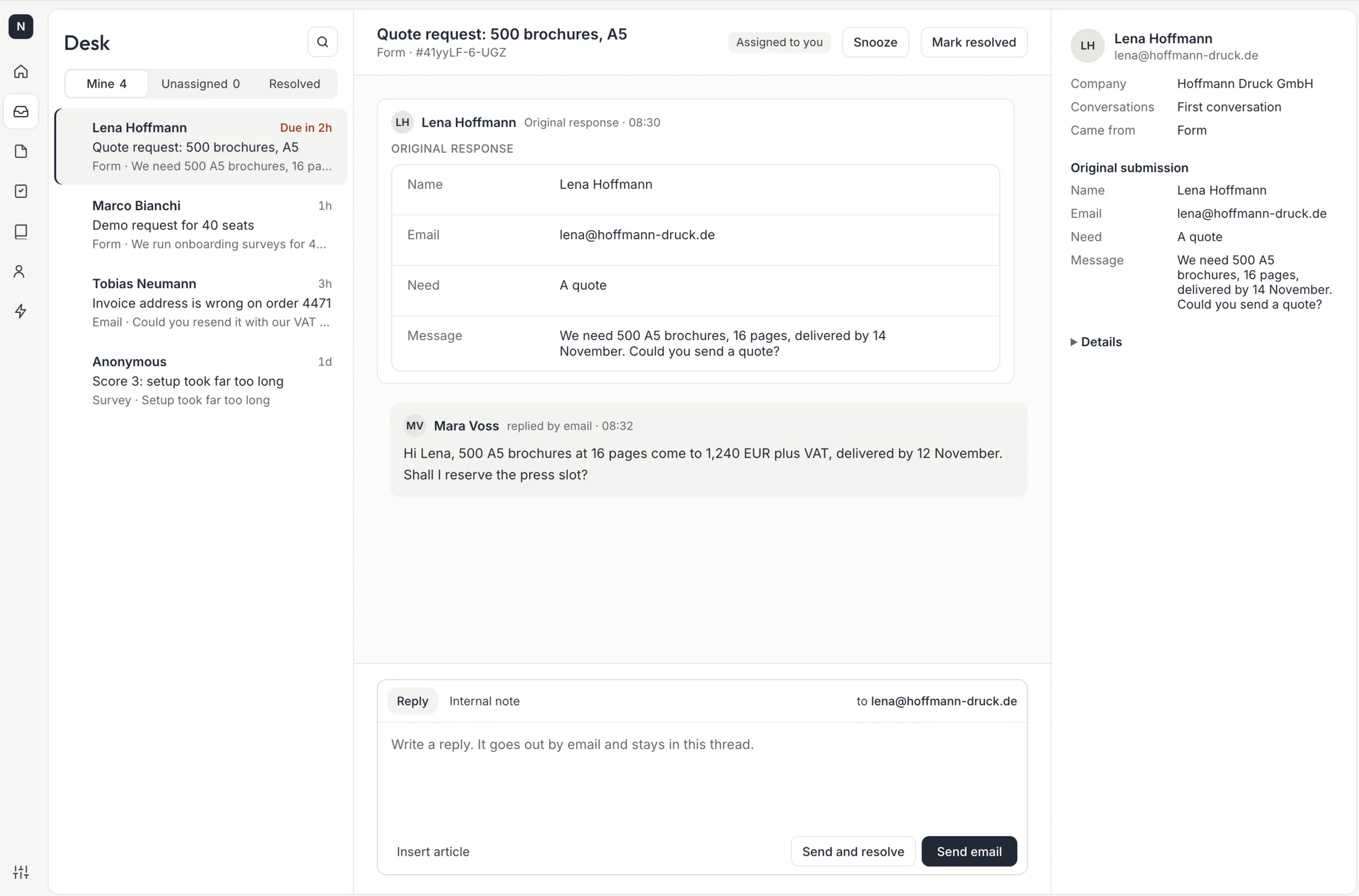
Real screens from Formspring with sample data. Pick a step to see it, or watch it run.
Start from what you want to happen.
Pick the goal closest to yours. Each one opens the page that walks the whole workflow and says which plan it needs.
- Capture enquiriesPut a form, a link or a QR code in front of the people who want to reach you.Every plan
- Qualify and bookAsk a few questions, then let the right people pick a time.Included with Pro
- Understand customer needsAsk how it is going and keep the answers next to each person.Included with Pro
- Manage incoming requestsGive every request a status and an owner, and answer by email from one thread.Included with Scale
- Build for clientsRun intake for each client in their own account, with a board where they follow up.Included with Team
Forms, surveys and funnels. One inbox.
Every response from all three lands in the same list in the order it arrived, each with its own status. People who leave their details are collected in a contacts list. No opening three tools to find out what came in.
How submissions are handled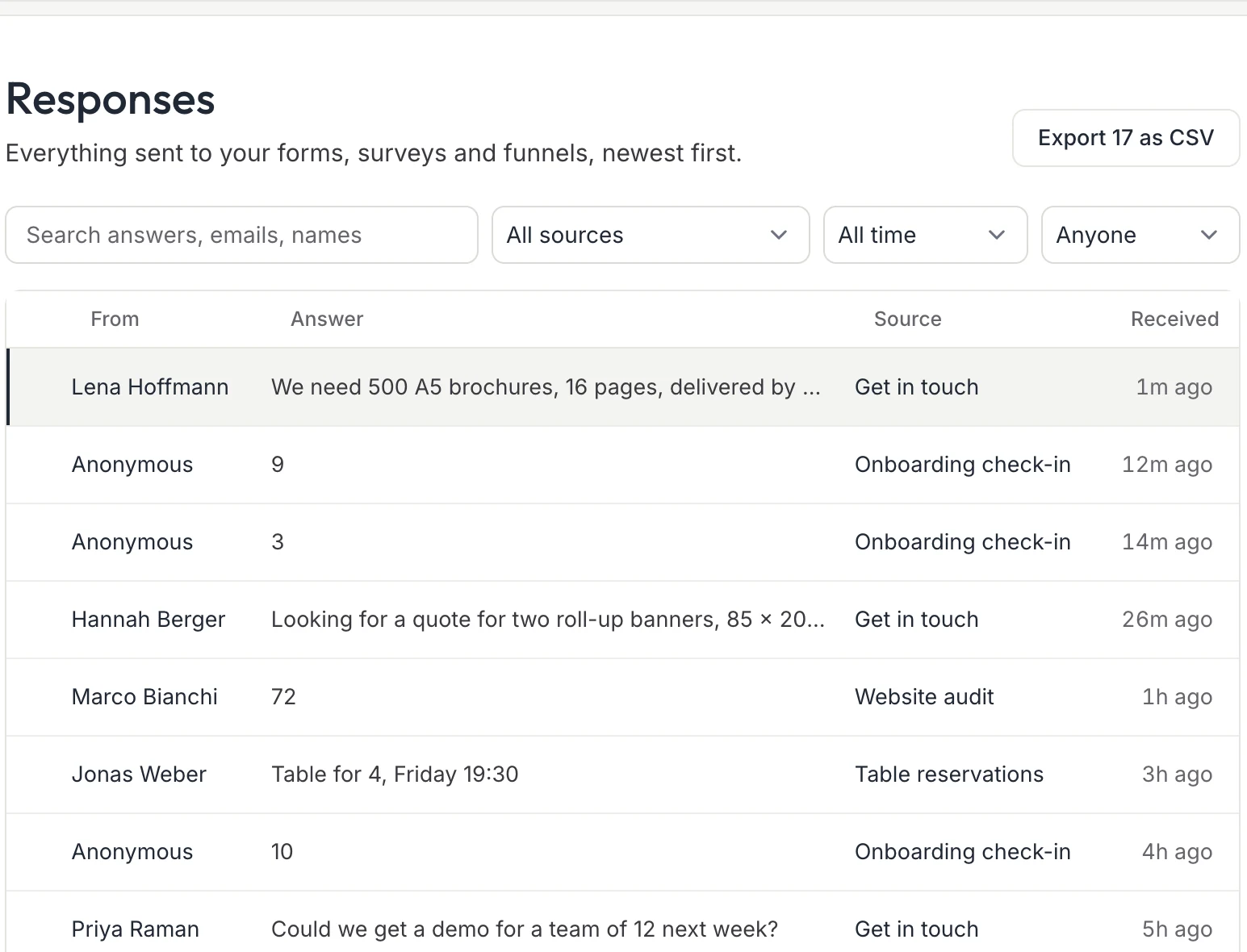
A real Formspring screen with sample data. The shared inbox with owners and statuses is on every plan, Free included.
A quote request, from first message to answer.
The same request, followed through. The record on the right is an example, not a customer.
A request comes in
The customerForms
They fill in a quote form that asks for the job, the quantity and the deadline, so the request arrives complete.
It lands with a status
Your inbox
The submission appears in the shared inbox as New, with the files and the answers in one place.
A named person takes it
The owner
Someone is assigned, so nobody has to guess who answers.
They answer and the thread stays together
The ownerResponse Desk
The reply goes out from your own address and the conversation stays attached to the request.
The request in your inbox Sample data
- From
- Lena Hoffmann
- Request
- Quote for 500 printed brochures
- Deadline
- Two weeks from today
- Status
- New
- Owner
- Jonas Richter
Everything after the submit button.
Each product collects, sorts or answers. They share one workspace, one contacts list and one billing line, so you add the next one when you need it instead of signing up somewhere else.
| Product | What it handles | Included from |
|---|---|---|
| Forms | Contact, quote, intake and order forms with logic, file uploads and in-form payments | Free |
| Surveys | NPS, CSAT, quizzes and research with branching, scoring, quotas and languages | Pro |
| Funnels | Multi-step flows with A/B tests, conversion tracking and lead scoring | Pro |
| Bookings | Appointment pages where people pick a slot | Pro |
| Links and bio pages | Short links and a link-in-bio page that count every tap | Free |
| Feedback boards | Ideas, votes and a public record of what shipped | Pro |
| Response Desk | Inbound email and every submission in one shared desk, with SLAs and saved replies | Scale |
| Knowledge base | A help center you can restyle completely, that answers before a ticket is opened | Scale |
Or point any form you already have at us.
Swap the action attribute and your existing HTML, React, Vue or Astro form starts landing in the inbox. No CORS tuning, JSON back on request.
- Uploads
- 10 MB per file, 5 files per submission
- Webhooks
- HMAC-SHA256 signed, 8 attempts across about 4.9 hours
- API
- REST API and MCP server on every plan
- Over quota
- Returns HTTP 402, never drops data silently
Build it. Share it. Watch it land.
- 1
Build it
Start from a template or describe what you need and let AI draft it. Drag fields into place.
- 2
Share it
Send a link, show a QR code, or embed it on your own site and domain.
- 3
Watch it land
Replies arrive sorted, with files and history in view, ready to assign and answer.
Send every answer where your team works.
1 integrations, each labelled as a native integration, a webhook recipe or planned, with exactly what it supports on its page.
See what each integration supports- Slack
- Google Sheets
- Notion
- Airtable
- HubSpot
- Zapier
- Make
- n8n
- Webhook
- REST API
- MCP server








Hosted in Germany. Built in Lübeck.
Stored in Germany
Submissions and uploaded files are stored in Germany. Email delivery and optional integrations may involve processing in other countries.
Security and hostingEvery sub-processor named
Each provider that handles data is listed with its country and purpose.
Sub-processorsSigned data processing agreement
Available for paid plans.
Data processing agreement
Choose the capacity and controls your workflow needs.
Every plan includes the shared inbox. Higher plans add capacity and controls, never a per-response fee.
| Plan | Price | Submissions each month | Adds |
|---|---|---|---|
| Free | Free | 50 | REST API, MCP server, Short links, Polls, Bio page |
| Pro | $19 a month | 5,000 | Signed webhooks, Remove Formspring branding, Custom domains, Surveys, Funnels |
| Team | $49 a month | 25,000 | Roles and permissions, Agency Mode, Single sign-on |
| Scale | $149 a month | Unlimited | Response Desk |
Prices in US dollars. The pricing page explains what counts toward the allowance and what happens at the limit.
See pricingQuestions people ask first
Can I cancel any time?
Yes. Cancel from the billing page and we prorate to the day. No retention calls, no exit fees.
Where does my data live?
Submissions and files live in our primary EU region in Germany by default. Files are stored in private, encrypted object storage.
I use Formspree, Basin or Getform. Can I move?
Swap the form's action URL. Existing webhook receivers keep working, because Formspring signs with standard HMAC-SHA256 headers.
Is this the old Formspring Q&A site?
No. That platform shut down in 2015 and has no connection to this one. This Formspring is built by Pixel & Process UG in Lübeck, Germany.
Put your first form live today.
Free covers 1 form and 50 submissions a month, with no card and no time limit.