
A clean JSON REST API at https://formspring.io/api/v1. Bearer-token auth. Ability-scoped per token. Versioned.
The full machine-readable spec is at /api/v1/openapi.json, and the interactive reference page lives at /api/v1/docs.
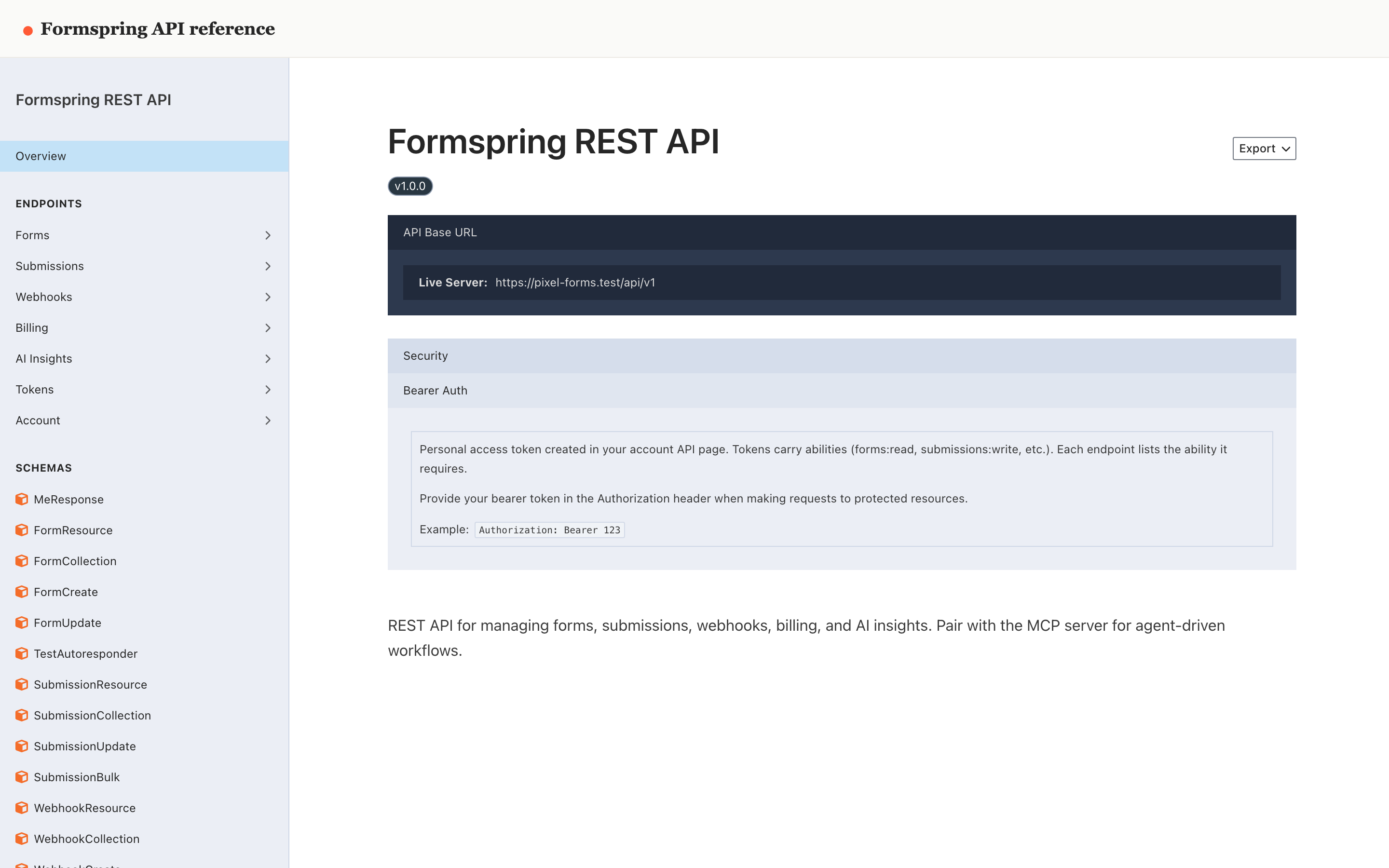
Endpoint groups
| Group | Resource |
|---|---|
| Account | GET /me |
| Forms | GET/POST/PUT/DELETE /forms, /forms/{form}/publish, /unpublish, /restore, /force |
| Submissions | GET /forms/{form}/submissions, PUT/DELETE /forms/{form}/submissions/{id}, /bulk, /export, /files/{file} |
| Automations | GET/POST/PUT/DELETE /{forms,surveys,funnels}/{id}/automations, /enable, /disable, /run, /runs, /runs/{run}, /runs/{run}/replay - see reference |
| Webhooks | GET/POST/PUT/DELETE /forms/{form}/webhooks/..., /deliveries, /deliveries/{id}/replay |
| Surveys | GET/POST/PUT/DELETE /surveys, /surveys/{survey}/publish, /unpublish |
| Funnels | GET/POST/PUT/DELETE /funnels, /funnels/{funnel}/publish, /unpublish, /analytics, /sessions |
| Links | GET/POST/PATCH/DELETE /links, /links/{link}/qr, /search, /query, /upsert |
| Link analytics | GET /links/{link}/stats/{counters,views,heatmap,metrics,events,locations} |
| Billing | GET /billing/team, /plan, /usage, /subscription, /invoices |
| AI Insights | GET /ai-insights, POST /ai-insights/regenerate |
| Tokens | GET/POST/DELETE /tokens |
Each endpoint lists the ability it requires. See Tokens & abilities →.
For copy-paste examples in JavaScript, Python, and Go, see API examples →.
Authentication
Pass your token in Authorization: Bearer <token>. See Authentication →.
Sandbox workspaces
Build an integration without touching live data. POST /api/v1/sandbox/workspaces (needs team:write) creates a sandbox workspace and returns a token bound to it, shown once. A sandbox has its own forms, links and submissions and runs on a Pro-level plan, but it can never reach live customers or billing: webhook and integration deliveries are recorded with a fixture response instead of being sent (success by default; add sandbox_outcome=server_error, rate_limited, timeout and others to the webhook URL to get a failure shape), email from the workspace is not sent, Response Desk replies are recorded as suppressed instead of sent, no SMS, WhatsApp code or mobile push leaves the workspace (a sandbox accepts the code 000000 for SMS and WhatsApp verification), and every billing action is refused. Automation actions (HTTP request, webhook, integration, email, SMS), ad-platform and CRM deliveries, calendar writes, refunds and booking emails from a sandbox are held back the same way and recorded as not delivered. To let a sandbox reach a test inbox or a test endpoint, allow-list it: PUT /api/v1/sandbox/workspaces/{id}/allowlist (needs team:write) takes recipients (email addresses or phone numbers), domains (email domains) and hosts (endpoint hosts, subdomains included), and GET on the same path (needs team:read) returns the list. Only those targets are reached; everything else is still recorded and not sent. You can have three sandboxes; delete one with DELETE /api/v1/sandbox/workspaces/{id}. Sandbox tokens cannot create more sandboxes.
Debugging with the request log and the webhook inspector
Every call made with a token is in Developer > Request log with its X-Request-Id: REST calls, MCP tool calls (the tool name, never its arguments) and failed calls from the website SDK. Filter by source. GET /api/v1/tokens/{id}/audit (and API tokens > Audit in the dashboard) shows one token's workspace, last use and recent calls. For a webhook, GET /api/v1/forms/{form}/webhooks/{webhook}/deliveries/{delivery}/inspect shows the request that was made, how it is signed, the response and every attempt for the same submission.
Versioning
The current version is v1. Backwards-incompatible changes ship as v2 with a separate URL prefix, never as silent breaks to v1. Fields may be added; existing fields and shapes don't change.
Quickstart
TOKEN="..."

# List your forms
curl -H "Authorization: Bearer $TOKEN" \
  https://formspring.io/api/v1/forms

# Create a form
curl -X POST -H "Authorization: Bearer $TOKEN" \
  -H "Content-Type: application/json" \
  -d '{"name":"Contact form","notification_emails":["ops@example.com"]}' \
  https://formspring.io/api/v1/forms

# Read submissions
curl -H "Authorization: Bearer $TOKEN" \
  "https://formspring.io/api/v1/forms/{form_id}/submissions?per_page=50"